就業培訓
下載中心
Wiki
聯絡
登錄
注冊
首頁
Qt 5.15.17
Qt Quick 3D
Qt Quick 3D 資産條件
Exporting from Modo
Exporting from Modo
Exporting COLLADA from Modo
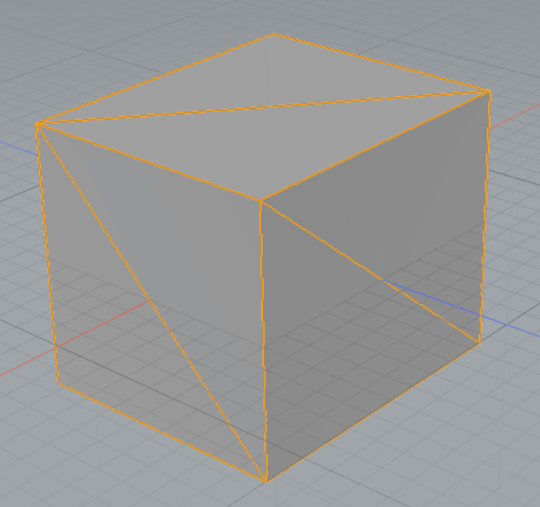
With the mesh object selected, triangulate the mesh by pressing
Shift+T
.
Next, select
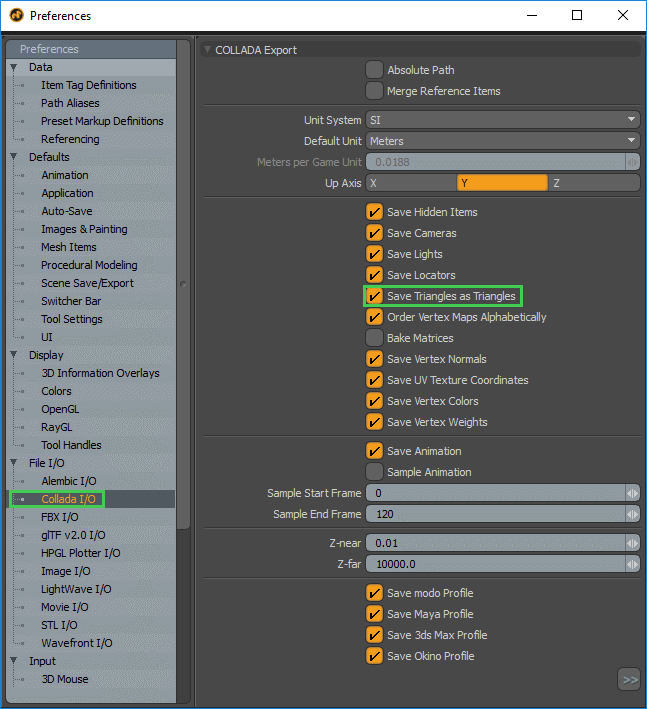
System > Preferences
from the menu bar to configure the COLLADA exporter.
In the preferences dialog box, locate the
Collada I/O
section under
文件 I/O
. Ensure that the
Save Triangles as Triangles
option is checked.
Close the preferences dialog box.
From the menu bar, select
File > Export As
.
選擇
Collada
在
Save as Type
drop-down list.
Press
Save
.
Exporting FBX from Modo
With the mesh object selected, triangulate the mesh by pressing
Shift+T
.
From the menu bar, select
File > Export As
.
選擇
FBX
在
Save as Type
drop-down list.
選擇
Save
.
內容
Exporting COLLADA from Modo
Exporting FBX from Modo